Overview
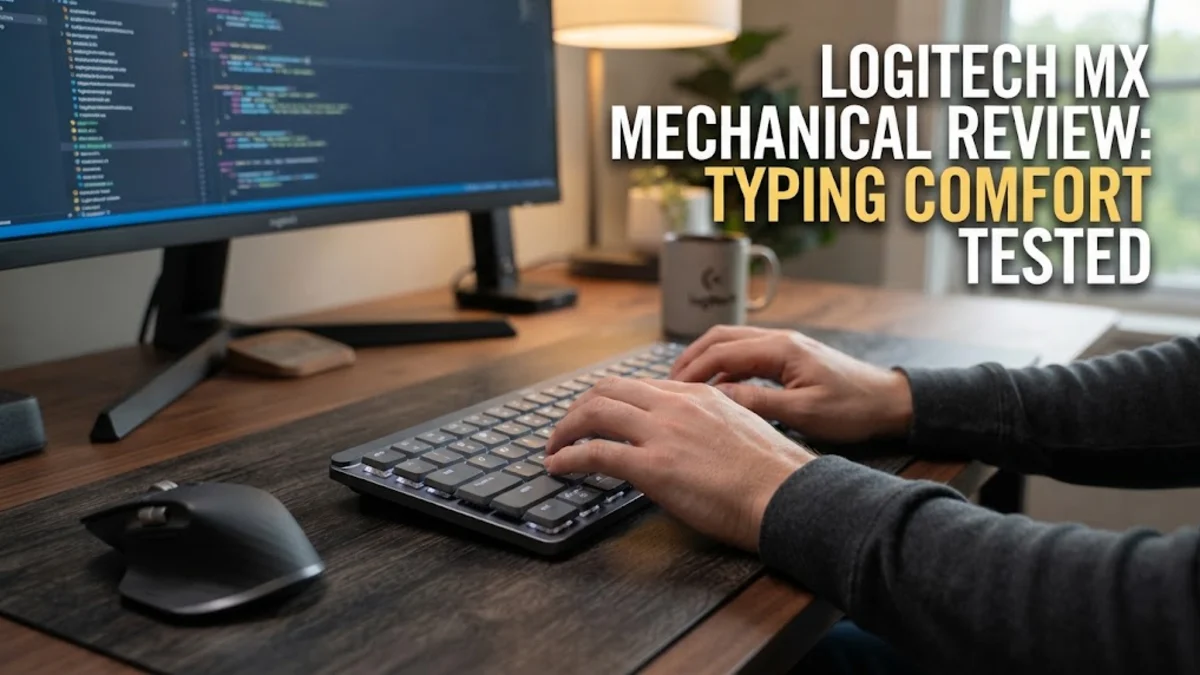
The Logitech MX Mechanical represents a significant evolution in productivity-focused peripheral design, carefully bridging the gap between traditional membrane office keyboards and enthusiast-grade mechanical hardware. Aimed squarely at professionals, software developers, financial analysts, and content creators who spend hours every single day typing, it brings low-profile mechanical switches directly into the legendary MX lineup. Based on aggregated expert testing, hands-on user analyses, and long-term consumer feedback, this keyboard aims to deliver a refined, tactile, and relatively quiet typing experience without the cumbersome bulk, excessive weight, or aggressive, RGB-heavy aesthetic common in gaming boards. It positions itself securely at the higher end of the mainstream productivity market, competing directly with high-end corporate office boards and bespoke wireless office alternatives. Modern workspace requirements have shifted dramatically, with professionals frequently juggling multiple computers, tablets, and operating systems simultaneously. In response, Logitech has engineered a keyboard that not only prioritizes raw ergonomic typing comfort and tactile feedback but also integrates seamlessly into complex, multi-device modern workflows.
Design and Build
From a purely aesthetic and structural standpoint, the Logitech MX Mechanical adopts a clean, professional two-tone gray aluminum top plate that fits effortlessly into both high-end corporate boardrooms and minimalist home offices. Its low-profile design significantly reduces the overall height of the chassis, which in turn diminishes wrist extension and strain compared to standard high-profile mechanical keyboards, often eliminating the strict physical necessity for an external wrist rest. The keycaps feature a durable matte finish that resists fingerprint smudges and hand oils effectively over long work sessions, though industry analysts and enthusiast communities frequently note that these keycaps are constructed from ABS plastic rather than the thicker, more wear-resistant PBT found on specialty custom boards. The keyboard features subtle white backlighting that automatically adjusts based on ambient room light conditions using built-in light sensors. A particularly clever inclusion is the proximity sensor: the backlighting illuminates gracefully as your hands approach the keys and turns off automatically when you walk away, optimizing battery conservation without requiring manual toggling. The build rigidity is impressive, exhibiting almost zero flex when subjected to heavy typing pressure, thanks to the internal metal plate anchoring the mechanical switches securely into place.
Key Features and Performance
Performance-wise, the MX Mechanical is built around low-profile mechanical switches available in three distinct tactile and acoustic variants: Tactile Quiet, Clicky, and Linear. For most office environments and shared workspaces, the Tactile Quiet option is the standout choice, providing a satisfying, tactile bump that confirms actuation without producing the sharp, disruptive clatter associated with traditional blue switches. Connectivity is a major strong suit, supporting both Bluetooth Low Energy and Logitech's proprietary Logi Bolt USB receiver, which is engineered for secure and reliable wireless performance even in crowded office environments with heavy Wi-Fi and Bluetooth interference. Users can effortlessly pair the keyboard with up to three distinct host devices running Windows, macOS, Linux, ChromeOS, iPadOS, or Android, switching between them instantly with a dedicated physical Easy-Switch key. Battery life is rated at an impressive up to 15 days with backlighting fully enabled at moderate brightness levels, or up to a phenomenal 10 months if you choose to turn the backlight off entirely. Recharging is handled via a modern USB-C port located at the top edge, allowing you to use the keyboard in wired mode while it powers back up. While latency is completely imperceptible for typing, spreadsheets, and casual navigation, competitive gamers will note that this is not engineered for ultra-fast gaming polling rates, though casual gaming remains entirely serviceable.
Who It Is For (and Who Should Skip It)
This keyboard is ideally suited for office workers, copywriters, programmers, data analysts, and multi-device power users who want a high-performance tactile typing upgrade without sacrificing desk space, porting heavy gear, or dealing with disruptive mechanical noise. It excels for individuals who frequently toggle between a corporate Windows laptop, a personal Apple MacBook, and a tablet throughout the workday. Conversely, mechanical keyboard enthusiasts who prioritize hot-swappable switches for effortless customization, custom open-source firmware like QMK or VIA, and thick PBT dye-sublimated keycaps should skip this model entirely. Because the low-profile switches are permanently soldered to the internal printed circuit board and the keycap stems utilize a proprietary low-profile stabilizer layout, modification and custom part replacement options are virtually non-existent, which can be a major drawback for hobbyists who view keyboards as a canvas for endless tinkering.
Alternatives Worth Considering
If you are exploring alternative options in the computer gear market, several competitors offer compelling features that may better align with specific user priorities. The Keychron K8 Pro offers a more traditional, highly customizable typing experience featuring hot-swappable switches, a sturdy gasket-mount feel, and QMK/VIA firmware support at a notably lower price point, though it lacks the low-profile ergonomics and proximity-sensing smart backlighting of the Logitech board. The NuPhy Air75 V2 provides an exceptionally sleek, portable low-profile alternative equipped with hot-swappable switches and vibrant aesthetic choices, making it a favorite among digital nomads who prefer low profiles with custom switch flexibility. Meanwhile, the Razer Pro Type Ultra targets a similar white-collar productivity audience with plush ergonomic palm rest padding and linear mechanical switches designed for quiet operation, though it lacks the effortless multi-device toggling speed and robust ecosystem software maturity of Logitech's ecosystem.
Final Verdict
The Logitech MX Mechanical successfully delivers a comfortable, reliable, highly polished, and professional typing experience tailored specifically for mainstream office environments and multi-device desk setups. While its lack of switch customization, proprietary stabilizers, and ABS keycaps might occasionally disappoint hardcore keyboard hobbyists, its stellar multi-device connectivity, smart proximity illumination, reliable wireless performance, and ergonomic low-profile design make it an exceptionally capable tool for productivity-driven users who are willing to invest in premium desktop hardware to enhance their daily workflow efficiency and physical typing comfort.