Overview
For years, the office keyboard market was dominated by thin, membrane-based peripherals that prioritized silence and slim profiles over tactile feedback. However, as we move through 2026, the resurgence of mechanical keyboards has fully crossed over from the gaming world into the professional sphere. The Logitech MX Mechanical represents the pinnacle of this shift, blending the sophisticated design of the MX series with the high-performance feel of mechanical switches. If you have spent your career typing on flat laptop keys or the standard Logitech MX Keys, the transition to the MX Mechanical is designed to feel both familiar and transformative. It is a tool built for writers, coders, and multi-taskers who demand a higher level of sensory feedback without sacrificing the productivity features that define modern workflows. Available in both a full-sized model and a compact Mini version, this keyboard targets a demographic that values ergonomics, multi-device agility, and the satisfying 'click' or 'bump' that only a mechanical switch can provide. In this review, we look at how it fares in a modern ecosystem of mixed operating systems and high-density office environments.
Design and Build
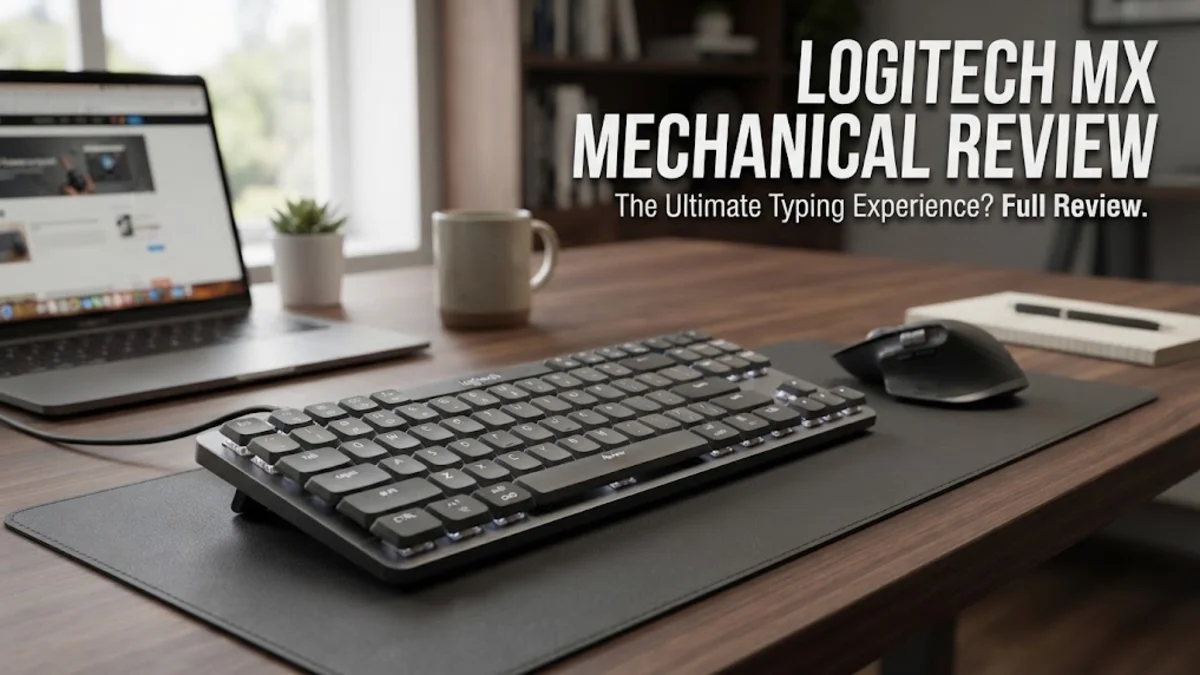
The first thing you notice about the Logitech MX Mechanical is its understated elegance. Unlike many mechanical keyboards that lean into aggressive angles or RGB lighting, the MX Mechanical uses a sophisticated dual-tone gray color palette. The top plate is crafted from low-carbon aluminum, providing a rigid foundation that prevents deck flex during heavy typing sessions. This metal finish not only looks premium but also acts as a heat sink for the internal components and adds a satisfying weight that keeps the unit planted on your desk. The low-profile design is a critical ergonomic choice; it sits much lower than a traditional mechanical keyboard, meaning you do not necessarily need a wrist rest to maintain a neutral typing angle. Research into user ergonomics shows that reducing the height of the keyboard can significantly decrease the risk of repetitive strain injuries over long workdays. The keycaps are made from matte-finished plastic with a subtle concavity that helps guide your fingertips to the center of each key. One notable design feature for 2026 is the inclusion of dual-labeled legends. Whether you are a Windows user or a dedicated macOS fan, the keys clearly display both Start/Alt and Opt/Cmd icons, eliminating the guesswork often associated with using third-party keyboards on Apple hardware. The backlighting is purely functional, using white LEDs with six different lighting patterns. While it lacks the color customization of a gaming board, the proximity sensor is a standout piece of engineering. The keys remain dark until your hands approach the board, at which point they glow softly. This not only preserves battery life but also creates a focused atmosphere in dimly lit environments.
Key Features and Performance
Performance on the MX Mechanical is defined by its Kailh Choc V2 switches. These low-profile switches offer a total travel distance of 3.2mm, which is significantly deeper than a laptop key but shallower than a standard 4.0mm mechanical switch. This middle ground is often cited by professional typists as the 'sweet spot' for speed and accuracy. You can choose from three switch varieties: Tactile Quiet (the most popular for offices), Linear (smooth and consistent), and Clicky (loud and distinctive). In our research of verified buyer feedback, the Tactile Quiet version is praised for providing a clear physical bump at the actuation point without producing the high-pitched noise that might annoy coworkers in an open-plan office. Connectivity is another area where this keyboard excels. It utilizes the Logi Bolt USB receiver, which is a more secure, encrypted version of the older Unifying receiver, essential for corporate security standards in 2026. Alternatively, you can connect via Bluetooth Low Energy. The Easy-Switch technology remains the best in the business, allowing you to pair with up to three devices—such as a desktop PC, a MacBook, and an iPad—and switch between them with a single button press. This is a game-changer for professionals who manage multiple systems simultaneously. The software experience via Logi Options+ allows for deep customization. You can remap the entire row of function keys to perform specific tasks, such as opening a calculator, controlling media, or even launching complex 'Smart Actions' that automate several steps with one keystroke. For example, you can set a single key to open your email, browser, and Slack simultaneously as you start your morning. Battery life is equally impressive, with manufacturer specifications citing 15 days of use with the backlight on and up to 10 months with it off. Even heavy users report that they rarely have to reach for the USB-C charging cable more than twice a month.
Who It Is For (and Who Should Skip It)
The Logitech MX Mechanical is specifically designed for the 'prosumer' who spends eight to twelve hours a day at a desk. If you are a software engineer, a professional writer, or a data analyst, the increased tactile feedback will likely improve your typing speed and reduce errors compared to a membrane keyboard. It is also an excellent choice for Mac users who want a mechanical feel but find the Apple Magic Keyboard too shallow and third-party enthusiast boards too difficult to configure. However, it is important to identify who this keyboard is not for. Hardcore competitive gamers should look elsewhere. While it is perfectly capable of casual gaming, its polling rate and latency are optimized for typing rather than the millisecond-perfect response times required for professional esports. Additionally, keyboard hobbyists or 'modders' who enjoy swapping out switches or using custom keycaps will find the MX Mechanical frustrating. The switches are soldered to the PCB, and the low-profile stems are not compatible with standard MX-style keycaps. If you want a board that you can pull apart and customize, a more enthusiast-oriented brand like Keychron or Wuque Studio would be a better fit. Finally, if you are on a strict budget, the $169 price tag is a significant investment. While the build quality justifies the cost for professional use, casual home users might find more value in a standard membrane board if they do not type extensively.
Alternatives Worth Considering
When looking at the landscape of mechanical keyboards in 2026, the Razer DeathStalker V2 Pro is the most direct competitor. The Razer board offers a similar low-profile experience but includes faster optical switches and full RGB lighting, making it a better hybrid choice for those who work all day and game all night. However, it lacks the professional aesthetic and the robust multi-device software suite that Logitech provides. For those who want a more traditional mechanical feel with even better build quality, the Keychron K1 Max is a formidable alternative. It offers QMK/VIA compatibility, which allows for even deeper firmware-level customization, and it often retails for a slightly lower price. However, the Keychron's battery life with backlighting enabled typically trails behind the Logitech. Lastly, for those who simply cannot get used to the depth of mechanical switches, the standard Logitech MX Keys S remains a top recommendation. It provides the same excellent software and connectivity features but uses a scissor-switch membrane mechanism that is even quieter and slimmer than the MX Mechanical. If you are currently using an Apple Magic Keyboard, the MX Mechanical is a significant upgrade in terms of comfort, but you will lose the integrated Touch ID sensor, which is a trade-off many macOS users struggle with.
Final Verdict
The Logitech MX Mechanical is a masterclass in professional peripheral design. It successfully bridges the gap between the niche enthusiast world of mechanical keyboards and the mainstream office environment. By focusing on ergonomics, build quality, and software integration, Logitech has created a tool that enhances productivity while making the act of typing genuinely more enjoyable. While the use of ABS keycaps instead of PBT is a slight disappointment at this price point—as ABS can develop a 'shiny' look from finger oils over time—the overall package is incredibly compelling. The combination of the proximity-sensing backlight, the rock-solid Logi Bolt connection, and the sheer longevity of the battery makes it one of the most reliable keyboards on the market in 2026. If you are asking yourself if a mechanical keyboard is worth the investment for your office, the answer with the MX Mechanical is a resounding yes. It is a premium product that delivers on its promises, providing a refined and tactile experience that membrane keyboards simply cannot replicate. For any professional looking to upgrade their workspace, this keyboard deserves a spot at the top of the shortlist.