Overview
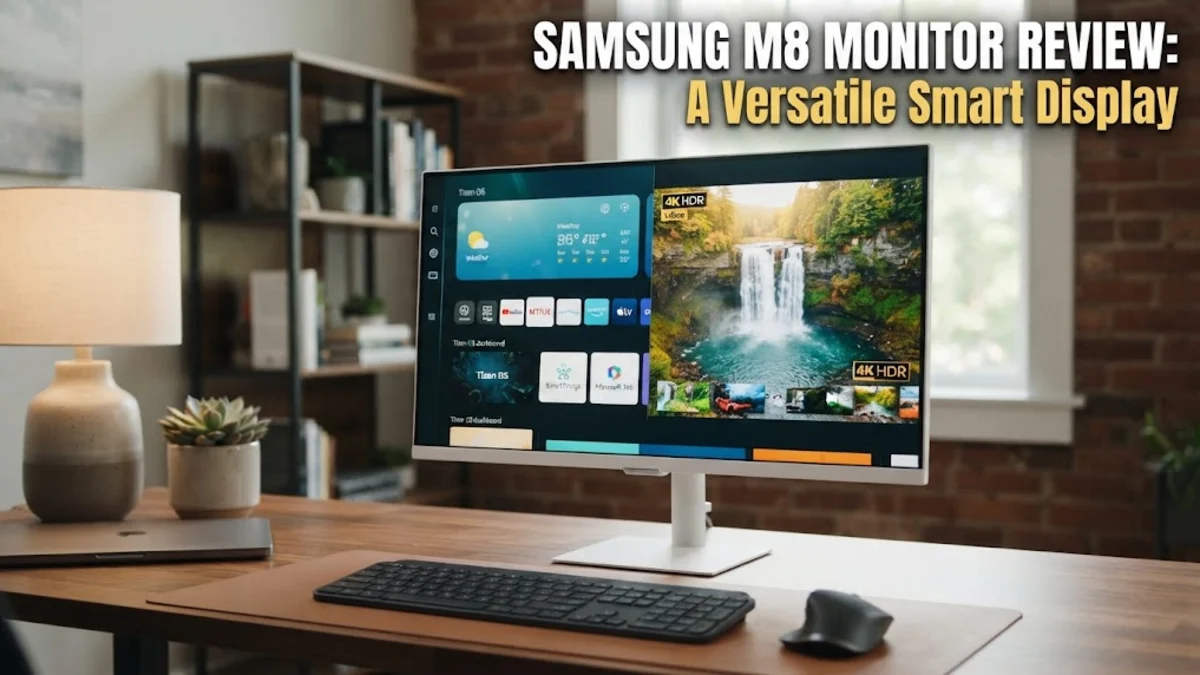
The Samsung M8 monitor has carved out a unique space in the crowded home office market by effectively blurring the lines between a high-definition computer display and a standalone smart TV. For users who crave a clean, minimalist setup that can seamlessly transition between intense professional tasks and evening entertainment without the need for a secondary device, this monitor is an incredibly intriguing proposition. It effectively serves as a hybrid device that respects the aesthetic constraints of modern living spaces.
By integrating the Tizen OS directly into the hardware, Samsung allows this monitor to operate as a completely independent hub. You can stream media via your favorite services, utilize productivity applications, and even connect to remote cloud workstations without ever touching a desktop tower or a laptop. This deep-dive review explores whether this level of versatility makes it a practical, essential addition to your daily workspace or if it is a classic case of a device that attempts to master too many domains while failing to excel in the core display performance that professionals demand.
Design and Build
The M8 stands out immediately for its visual identity, which draws clear, obvious inspiration from modern all-in-one desktop computers. It features a strikingly slim, flat-back profile that maintains a sophisticated look from any angle. Unlike typical office monitors that rely on aggressive, black-plastic industrial designs, the M8 is available in several soft, muted colorways. These finishes allow the unit to blend into a residential home decor setting far better than the utilitarian monitors commonly found in corporate cubicles.
The stand provides essential tilt and height adjustments, which is a must-have feature for maintaining proper ergonomic posture throughout long working days, though it notably lacks the swivel or portrait-rotation capabilities found on professional-grade ergonomic monitors. The build quality is primarily composed of high-quality, durable plastics. While this choice helps keep the unit relatively lightweight for its size, it does not offer the same premium tactile feel as an aluminum-chassis display. A key feature here is the included magnetic webcam; it snaps onto the top of the monitor with minimal fuss, providing a clean solution for video conferencing that does not require permanent installation. The cable management system is equally thoughtful, funneling cords through the stand to keep your desk surface visually clear.
Key Features and Performance
The engine of the Samsung M8 is its 32-inch 4K UHD panel, which provides enough real estate for effective multitasking. The 4K resolution delivers crisp text, which is an absolute requirement for users who spend their days writing documents, coding, or managing complex spreadsheets. The VA panel technology used here manages to achieve impressive native contrast ratios, ensuring that dark scenes in movies or dark-mode office applications appear with much deeper black levels than what you would typically encounter on entry-level IPS panels.
The smart functionality is where the M8 truly breaks away from the competition. Having a dedicated remote control for a computer monitor is a luxury that becomes indispensable within the first week of use. You can effortlessly switch your input sources, adjust color temperatures, or launch streaming apps without having to fumble for physical buttons hidden on the back or bottom frame of the screen. The integration of a built-in sound system is another value add; while it won't replace a high-end studio speaker set, it provides clear audio for Zoom calls and casual video consumption. However, the bass response is rather thin, so for high-fidelity audio requirements, you will still want to connect external hardware.
For the professional on the move, the inclusion of a USB-C port with 65W power delivery is the standout feature. This allows for a "single cable" experience where your laptop receives power, data, and a video feed through a single connection. This reduces desk clutter and makes the process of docking your computer at the start of the day incredibly efficient. The Tizen OS itself is snappy and familiar to anyone who has used a recent Samsung smart television, offering access to all major streaming platforms, smart home hub features, and remote PC functionality.
Who It Is For (and Who Should Skip It)
This monitor is specifically curated for the remote worker, the student, or the individual living in a smaller apartment who needs a true multifunctional hub. If your daily life consists of a fluid mix of productivity tasks, back-to-back video calls, and evening media streaming, the M8 offers a streamlined experience that is quite difficult to replicate with traditional hardware. It is the perfect choice for someone who values a tidy, clutter-free desk and wants their technology to reflect their interior design choices rather than just their hardware requirements.
However, you should steer clear of this display if your career relies on color-critical precision. Graphic designers, professional video editors, and colorists who require near-perfect color gamut coverage (such as Adobe RGB) will likely find that the factory calibration and the inherent nature of the VA panel do not meet their rigorous standards. Additionally, if you consider yourself a competitive gamer, the refresh rate limitations will likely be a dealbreaker. Modern shooters or fast-paced racing games require high frame rates and near-instant response times, which the M8 was not designed to accommodate. In those instances, you would be better served by a dedicated gaming display with higher refresh rate support.
Alternatives Worth Considering
If you find that your priorities lean more toward absolute color fidelity than smart features, the Dell UltraSharp series is a more robust, battle-tested alternative for creative work. These monitors offer superior factory calibration and more flexible ergonomic stands. For those heavily invested in the Apple ecosystem who do not require smart TV features, the Apple Studio Display provides a vastly higher pixel density and a premium aluminum build, though the price reflects this jump in hardware quality. If you want a more ergonomic physical setup with better rotation options, the LG Ergo series provides superior monitor arm integration out of the box, offering more desk flexibility than the static stand of the M8.
Final Verdict
The Samsung M8 monitor succeeds as a category-defying device that simplifies the user experience for the average home office worker. By stripping away the complexity of managing a computer, a webcam, and a media device as separate entities, Samsung has created a holistic tool that just works. While it is certainly not meant for specialized creative professionals, its combination of 4K clarity, smart application access, and a clean, modern aesthetic makes it one of the most practical daily drivers currently available. If your priority is a refined, minimalist workstation that doubles as an entertainment center, the M8 remains a highly capable and stylish choice.