Overview
The Keychron K8 has firmly established itself as a cornerstone in the mechanical keyboard market, particularly for users seeking a reliable, no-nonsense input device that balances price with professional-grade performance. Unlike mass-market keyboards found in big-box electronics stores, the K8 offers a taste of the custom mechanical keyboard world without the daunting price tag or the need for advanced technical assembly. It is a tenkeyless, or TKL, form factor keyboard, meaning it preserves the critical function row and navigational arrows while cutting off the numerical keypad to save space on your desk.
For many professionals and gamers, this layout represents the ideal compromise between desk real estate and functional utility. By removing the bulky number pad, the K8 allows for a more ergonomic positioning of your computer mouse, reducing shoulder strain during extended work or gaming sessions. Furthermore, its cross-platform nature—offering specific toggle switches for macOS and Windows—ensures that it works seamlessly out of the box regardless of your computer environment.
Design and Build
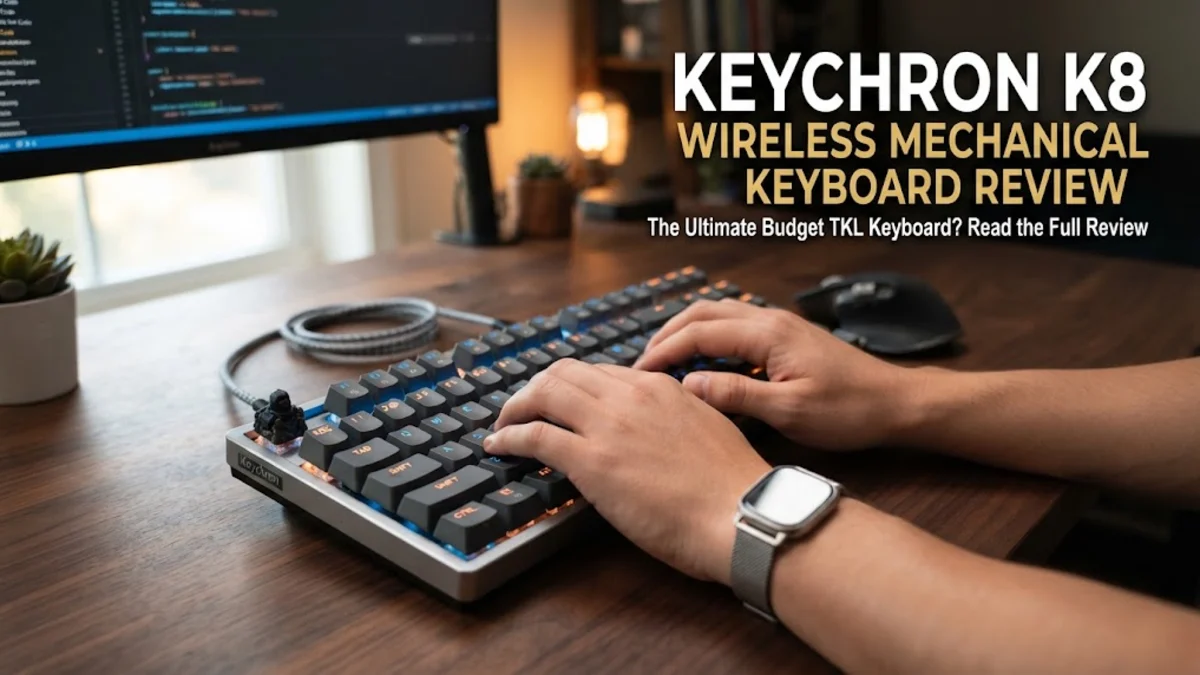
The K8 is constructed with a focus on durability and tactile feedback. The base model features a robust, reinforced plastic frame that prevents excessive flexing during aggressive typing. For users who prioritize a more premium, rigid aesthetic, the aluminum frame version offers a significantly more substantial weight, which keeps the keyboard anchored firmly to your desk during intense sessions. The keycaps, typically made of durable ABS plastic, offer a textured finish that provides a comfortable grip and resists the "shine" that can develop over long periods of use.
A standout design choice is the inclusion of dedicated media and function keys that adapt to your operating system. Keychron provides extra keycaps specifically labeled for macOS, allowing you to swap them out if you switch from a Windows PC to a Mac environment. The side-mounted switches for Bluetooth and OS selection are tactile and recessed just enough to avoid accidental changes, which is a common frustration with cheaper wireless peripherals. The typing angle is adjustable through two-stage folding feet, allowing you to find a pitch that minimizes wrist fatigue, though we recommend a dedicated wrist rest given the relatively high profile of the keys.
Key Features and Performance
The performance of the K8 is largely determined by its mechanical switches. Keychron utilizes Gateron switches, which are widely lauded in the community for their consistency and smoothness. If you work in an open-office environment, the Gateron Brown or Red switches are excellent choices; they offer a tactile bump or linear travel without the jarring, high-pitched click associated with Blue switches. The keyboard features a 4,000mAh battery, which is remarkably large for its class. In real-world usage, this means you can go for weeks of standard usage on a single charge if the backlighting is dimmed or disabled.
Connectivity is another strength, as the K8 supports Bluetooth 5.1 for pairing with up to three distinct devices. You can switch between your laptop, tablet, and smartphone with a simple shortcut key command, making it an excellent companion for multitaskers who share one keyboard across multiple screens. For gamers or those who prefer zero latency, the USB-C cable provides a reliable wired connection. It is worth noting that the keyboard uses N-key rollover, ensuring that if you accidentally mash multiple keys simultaneously—common in competitive fast-paced gaming—every input is captured without ghosting.
Who It Is For (and Who Should Skip It)
The K8 is designed for the productivity enthusiast, the student who needs a reliable long-term typing tool, and the entry-level mechanical keyboard hobbyist. It benefits anyone looking to upgrade from a mushy, flat laptop keyboard to something that provides clear physical feedback. If you spend your day writing, coding, or managing emails, the increased accuracy provided by these switches will pay for itself in improved typing speed and reduced errors.
However, you should skip the K8 if your workflow is heavily reliant on spreadsheets or data entry. The lack of a 10-key number pad will be a significant hindrance if you spend hours entering numbers. Furthermore, if you are a "modding" enthusiast who demands full QMK/VIA software compatibility for complex macro programming on every SKU, you might prefer a board specifically marketed as fully programmable. Finally, users who prefer a "low profile" or flat-style typing experience might find the K8's height too steep for comfort without a separate padded palm support.
Alternatives Worth Considering
When comparing the K8 to the competition, the Logitech MX Mechanical is the most direct challenger for the office-focused user. The MX Mechanical offers low-profile switches and excellent software support, though it comes at a higher price point and lacks the same level of switch-swap capability. The NuPhy Air75 V2 is another compelling alternative if you prioritize a thin, stylish design that matches a MacBook, though it sacrifices the deeper, fuller travel of the K8’s traditional mechanical switches.
For those strictly gaming, the Razer BlackWidow V4 offers superior lighting integration and more macro control, but its aesthetic is much more aggressive and less appropriate for a standard corporate office environment. The K8 occupies the sweet spot; it is professional enough for a boardroom but fun enough for a home gaming battle station, making it more versatile than most of its niche competitors.
Final Verdict
After evaluating the performance, feature set, and long-term reliability of the Keychron K8, it is clear why this remains a staple in the peripheral market. It avoids the common trap of "feature creep" where manufacturers add unnecessary gimmicks that drive up the price and reduce reliability. Instead, it sticks to the fundamentals: a rock-solid wireless connection, great battery life, and a typing experience that is vastly superior to any standard membrane alternative.
While the plastic build on the entry-level model might feel a bit uninspired to those who have held high-end custom aluminum boards, it is more than adequate for 99% of users. The trade-offs, such as the need for an external wrist rest and the lack of high-end macro software on some models, are minor when weighed against the keyboard's overall accessibility. For anyone ready to make the switch to a mechanical keyboard, the Keychron K8 is arguably the most sensible, future-proof starting point available in today's market.