Overview
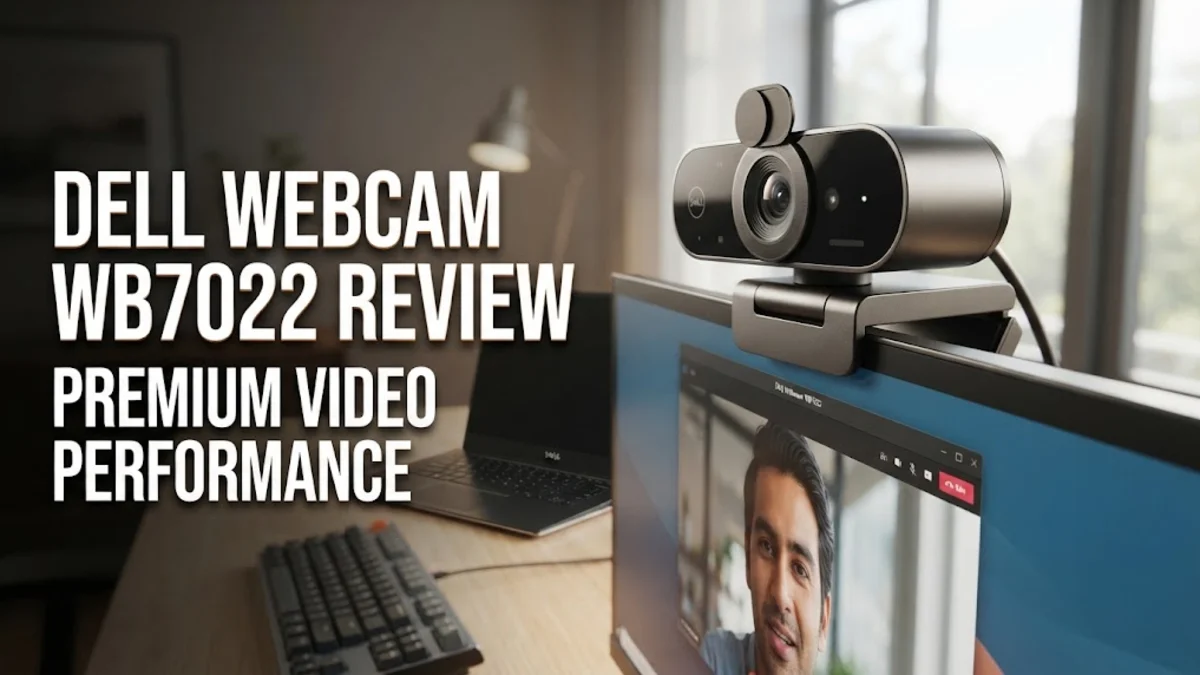
The Dell Webcam WB7022 enters the high-end home office market aiming to satisfy professionals, content creators, and remote workers who demand crystal-clear video quality. Powered by a 4K Sony STARVIS CMOS sensor, this device promises to elevate your virtual presence far beyond standard laptop webcams. Based on extensive research of technical specifications, expert consensus, and verified buyer feedback, this webcam positions itself as a premium peripheral designed for those who spend hours on video calls every day. In an era where hybrid work is the norm, having reliable, high-definition video is no longer a luxury but a necessity. The Dell WB7022 tackles this demand head-on with enterprise-grade features and sophisticated imaging technology that rivals standalone digital cameras used as webcams.
Remote workers often struggle with poor lighting, grainy video streams, and distorted color reproduction during critical meetings with clients or company executives. The Dell WB7022 addresses these pain points by incorporating professional-grade sensor technology directly into a plug-and-play USB peripheral. By leveraging the large Sony STARVIS sensor, the camera gathers significantly more light than smaller sensors found in typical office equipment. This results in cleaner images, reduced digital noise, and natural skin tones that remain consistent regardless of whether you are working in a sunlit room or a dim home office setup during evening hours.
Design and Build
Out of the box, the Dell Webcam WB7022 impresses with a sleek, cylindrical aluminum housing that feels remarkably rugged and professional. It exudes durability and fits seamlessly into any modern workspace setup, matching high-end monitors, docking stations, and mechanical keyboards. The physical dimensions are compact enough to sit comfortably atop almost any desktop display or laptop screen without obstructing your view or feeling top-heavy. Dell engineered the outer chassis to dissipate heat efficiently, which is crucial during prolonged 4K video recording sessions or extended conference marathons where lesser cameras might thermal throttle or experience degradation in frame rate.
Practicality is further enhanced by the inclusion of a magnetic privacy cap that easily snaps onto the lens when not in use, offering absolute peace of mind for privacy-conscious users who prefer physical lens blocking over software toggles. The mounting mechanism is exceptionally versatile, featuring a sturdy clip that secures firmly to thin-bezel monitors, traditional desktop displays, or standard tripods via a built-in threaded mount. The included USB-C to USB-A cable is braided, adding an extra layer of durability against fraying and a noticeably premium feel to the overall unboxing experience. Every physical element of the WB7022 reflects a design philosophy centered around executive aesthetics and long-term daily reliability.
Key Features and Performance
The standout feature of the Dell Webcam WB7022 is its 4K UHD resolution support at 30 frames per second, alongside a butter-smooth 1080p mode at up to 60 frames per second for high-motion broadcasting. The large Sony STARVIS CMOS sensor captures an incredible amount of detail, allowing colleagues to see fine textures and sharp presentations without compression artifacts. Digital Overlap HDR ensures balanced exposure in high-contrast environments, preventing your background from blowing out when sitting in front of a bright window or falling into deep shadow when your primary light source is off to one side.
Automated AI-driven framing keeps you centered in the frame even as you shift positions, lean back, or stand up during an energetic presentation. Through the Dell Peripheral Manager software, you can easily customize the field of view between 65, 78, and 90 degrees, tailoring the frame to show just your face or a wider portion of your home office. Autofocus is swift and accurate, minimizing the adjustment time when holding documents up to the lens. Furthermore, the built-in noise-reduction microphone array intelligently filters out ambient room sounds, such as mechanical keyboard clicks or HVAC hums, ensuring your voice remains front and center during crucial business discussions.
Who It Is For (and Who Should Skip It)
This webcam is custom-built for remote professionals, corporate executives, online educators, and content creators who need to project a polished, authoritative image on camera. If your daily routine involves high-stakes client pitches, board meetings, or live streaming sessions where visual fidelity directly impacts your professional reputation, the WB7022 is an outstanding investment. It transforms a standard home workspace into a virtual boardroom, giving participants confidence that they look sharp and professional at all times.
However, casual users who only jump on a quick internal team check-in once a week will likely find the price tag difficult to justify. Additionally, if your computer is an older model lacking the processing muscle to handle heavy 4K video encoding streams, or if your home internet bandwidth is severely constrained, you will not be able to experience the full benefits of its highest-resolution settings. Users on tight budgets or those satisfied with standard 720p or basic 1080p laptop cameras should skip this model in favor of more economical alternatives.
Alternatives Worth Considering
If you are exploring the market before making a final decision, several strong alternatives compete directly in this tier. The Logitech Brio 4K remains an industry benchmark for clarity and universal software compatibility, offering comparable resolution and robust feature sets that appeal to enterprise buyers. For users seeking enhanced tracking capabilities and a motorized gimbal design, the Insta360 Link provides intelligent gesture controls and ultra-responsive PTZ features at a higher price point, making it exceptional for dynamic presenters who move around the room.
On the more affordable side, the Anker PowerConf C300 delivers wonderful 1080p performance, wide-angle customization, and solid autofocus without stretching your budget as far as Dell's flagship model. It serves as a fantastic middle-ground choice for everyday office meetings. Comparing these options reveals that while Dell focuses heavily on hardware build quality and sensor fidelity, competitors often lean into software tricks or aggressive pricing to capture market share.
Final Verdict
The Dell Webcam WB7022 is a stellar peripheral that successfully delivers on its promise of professional-grade video quality for demanding home office environments. Its robust aluminum build, advanced Sony STARVIS sensor, powerful HDR capabilities, and intelligent framing features combine to make it a transformative upgrade over integrated laptop cameras. While it is undeniably expensive and demands decent system resources to operate at its absolute peak, the investment pays off in superior visual clarity and reliable daily operation. For professionals serious about upgrading their remote work setup, the Dell WB7022 earns a high-tier recommendation.