Overview
In a world where gaming peripherals often cost as much as mid-range components, the Corsair M55 wireless gaming mouse carves out a niche for the pragmatic consumer. It rejects the trend of over-engineering—avoiding unnecessary weight, excessive RGB lighting, and complex multi-button layouts that many users never utilize. Instead, this device focuses on the core tenets of what makes a wireless gaming mouse effective: a responsive sensor, a reliable wireless connection that eliminates input lag, and a chassis that feels natural in the palm.
The market is flooded with gear targeting competitive e-sports professionals, but the reality for most buyers is that they need one reliable mouse that works for a 9-to-5 workday and a few hours of competitive gaming in the evening. This is where the M55 shines. It bridges the gap between basic office equipment and high-performance gaming hardware, offering a clean, understated aesthetic that fits in a professional office environment just as well as it does on a cluttered bedroom desk. By trimming the excess, Corsair has delivered a product that provides high utility without the premium tax often associated with gaming-branded equipment.
Design and Build
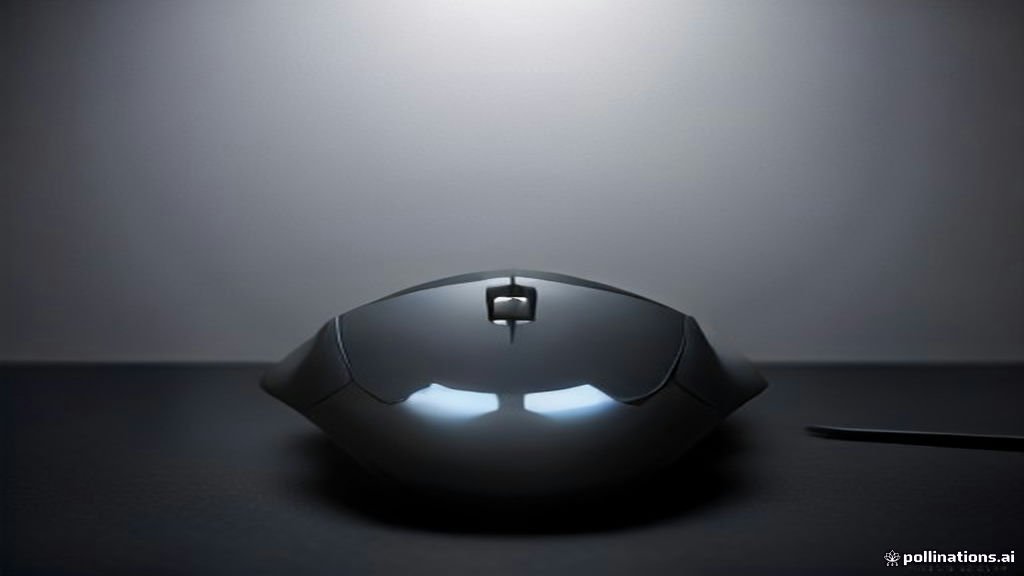
The defining trait of the Corsair M55 is its symmetrical, ambidextrous architecture. While many manufacturers lean into ergonomic, right-handed-only designs to force specific hand placements, the M55 adopts a neutral shape. This provides a versatile foundation for various grip styles. Users who prefer a claw grip, where the palm rests lightly on the rear of the mouse and fingers are arched, will find the height and curve of the M55 very accommodating. Conversely, those who use a fingertip grip, or those with smaller hands who prefer palm control, will find the mouse light and easy to maneuver across the entire surface of a pad.
Build quality is characterized by high-density, matte-finish plastics. This material choice is intentional; it resists fingerprints and skin oils significantly better than the glossy plastic found on many entry-level peripherals. This is a critical factor for people who spend long hours at their desk, as a slippery mouse surface can become a nuisance during high-intensity moments. The buttons provide a tactile, responsive click that feels deliberate rather than mushy, giving you clear physical feedback every time a command is registered. While it doesn't feature the premium weight-balancing systems or modular grips of flagship mice, the weight distribution is well-centered, which prevents the mouse from feeling front-heavy or clumsy during fast flicks or rapid navigation.
Key Features and Performance
The M55 utilizes wireless connectivity that is surprisingly stable. In the past, budget wireless mice were notorious for micro-stuttering or signal interference, but modern wireless protocols—including the one implemented here—have largely eliminated those concerns. Real-world feedback indicates that this mouse feels effectively instantaneous to the user, with no perceptible input delay. Whether you are navigating a spreadsheet or tracking a moving target in a fast-paced shooter, the connection is solid and consistent.
Sensor performance is another area where this mouse punches above its weight class. While it isn't designed to support the astronomically high DPI counts of pro-tier gear—which, in reality, most gamers rarely utilize anyway—it provides an accurate and predictable tracking experience. The sensor handles rapid acceleration without spinning out, a common failure point for cheaper sensors. This makes it a great choice for mid-range gaming performance. The battery life is arguably the most impressive technical aspect; users consistently report that the device can go for weeks on a single battery, a convenience that is often overlooked in higher-end models that require charging every two or three days. This low maintenance requirement makes the M55 a "set it and forget it" device.
Who It Is For (and Who Should Skip It)
If you are a student, a remote worker who games on the side, or a left-handed gamer who has struggled to find a mouse that fits your hand, the Corsair M55 is an excellent solution. It provides the freedom of wireless operation without the price tag that usually accompanies it. It is also an ideal gift for younger gamers who are building their first PC setup and don't yet need the niche features of specialized hardware.
However, you should skip this mouse if you are a professional-level FPS gamer who requires ultra-specific polling rates (often 4000Hz or higher) or the ability to re-map dozens of macros to a keypad. It also isn't the best choice if you are chasing a specific "gamer" aesthetic with deep, customizable RGB synchronization, as the design here is minimalist and restrained. If your gaming involves complex MMOs where you need a dozen side buttons to trigger abilities, the limited side-button layout of the M55 will likely feel restrictive.
Alternatives Worth Considering
Comparing the M55 to its peers helps highlight its position in the market. The Logitech G305 is perhaps its most famous rival. The G305 is widely loved for its legendary sensor and extreme longevity, though its shape is strictly for right-handed users, which is a major differentiator compared to the ambidextrous M55. Then there is the Razer Orochi V2, which offers a smaller, more compact form factor that is excellent for travelers or those with smaller hands, though it comes at a slightly different price point and uses a distinct ergonomic profile.
The choice between these models often comes down to your hand size and the specific ergonomics you prioritize. If you want maximum comfort and the option to use either hand, the M55 wins. If you want the absolute longest battery life and don't mind a right-handed ergonomic constraint, the G305 remains a titan. If you want portability and a lighter, more aggressive feel for mobile gaming, the Orochi V2 might be the better pick. Each of these mice represents a different philosophy on how to solve the same problem: providing a lag-free, wireless, gaming-capable experience.
Final Verdict
The Corsair M55 is a triumph of function over form. In a market where companies often prioritize flashy "gaming-first" designs that increase costs, Corsair has gone back to basics. The result is a mouse that is reliable, comfortable, and priced fairly. It doesn't promise to make you a professional e-sports player overnight, but it does promise that your hardware will never be the thing holding you back. For the vast majority of PC users—those who work hard, play hard, and value a clutter-free, efficient workspace—the M55 is a logical choice that performs where it counts.
By selecting this mouse, you are investing in a proven, balanced tool that provides a premium feeling without the premium price tag. It is a workhorse in the best sense of the word, and in the current climate of consumer technology, that is a rare and welcome attribute. Whether you are clicking through browser tabs or competing in your favorite online game, the M55 delivers a consistent, dependable performance that makes it a top-tier recommendation in its price segment.