Overview
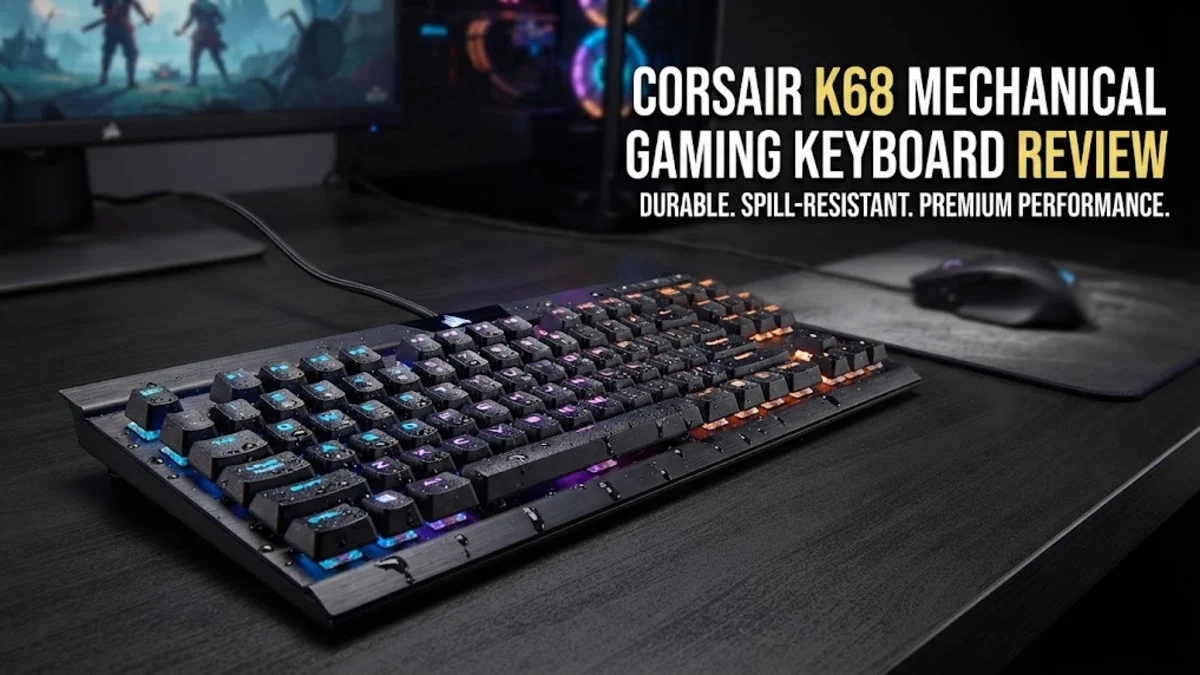
In the expansive and often crowded world of mechanical keyboards, most manufacturers focus on RGB lighting, hot-swappable switches, or wireless connectivity. However, the Corsair K68 takes a different approach by focusing on long-term durability in the face of environmental hazards. For many users, the primary threat to their expensive hardware isn't a mechanical failure of the switches, but rather the accidental spill of a coffee, soda, or water at their workstation. The Corsair K68 is engineered to mitigate this specific risk, making it an intriguing proposition for gamers and power users who work or play in less-than-sterile environments. By integrating a protective silicone membrane under the keycaps, Corsair has managed to create a board that earns an IP32 rating for water and dust resistance, a feature rarely seen in the gaming keyboard segment.
While it is categorized as a gaming keyboard, the K68 has a broader appeal. Students, office professionals, and casual PC users who are tired of replacing keyboards due to crumbs getting stuck in the keys or liquid mishaps will find the K68 to be a surprisingly practical tool. Its reliance on the legendary Cherry MX Red switches ensures that the typing experience remains consistent, fast, and familiar, bridging the gap between a high-performance gaming peripheral and a reliable daily driver for typing-heavy tasks. Despite its age in the current market, its build quality and focus on utility keep it relevant for shoppers prioritizing value and longevity over the latest trends.
Design and Build
The design philosophy of the Corsair K68 centers on utility and resilience. At first glance, the unit appears to be a standard, full-sized mechanical keyboard, complete with a dedicated number pad, a row of function keys, and a dedicated set of media controls positioned in the upper right corner. The chassis is molded from high-impact plastic, providing enough rigidity to prevent keyboard flex during intense gaming sessions. When you press firmly on the center of the board, it stays grounded, which is essential for ensuring that every keystroke is registered without the board sliding or shifting.
The standout design feature is the internal silicone rubber shield. This isn't just a basic layer; it is molded to fit the contours of the Cherry MX switches, effectively sealing the electronics from the outside world. This creates a barrier against dust accumulation—the bane of any mechanical keyboard—and prevents liquid from reaching the PCB if you happen to knock over a drink. The keycaps sit over this silicone shroud, which gives the keyboard a slightly different feel compared to a traditional mechanical board; the bottom-out experience is cushioned by the membrane, which some users find quieter and more comfortable during rapid typing.
The aesthetic choice to limit backlighting to bright red LEDs is a deliberate nod to Corsair's heritage. In a world where every peripheral is pushing full-spectrum RGB, the monochromatic look of the K68 is refreshing for minimalist setups. Using the Corsair iCUE software, you can manipulate the brightness levels and choose between various lighting patterns, such as breathing or reactive typing. It is worth noting, however, that because the LEDs are red, you are essentially locked into a specific color theme for your desk setup.
Key Features and Performance
The core performance of the Corsair K68 relies on the industry-standard Cherry MX Red mechanical switches. Known for their linear actuation and 45g of force, these switches provide a smooth, consistent experience without the tactile bump or the audible click found on other switch types. For gaming, this is often considered the ideal setup, as it allows for rapid double-tapping and quick response times without the interference of a clicky mechanism. During fast-paced FPS games where movement keys need to be held and tapped repeatedly, the switches perform exceptionally well, offering a level of precision that membrane keyboards simply cannot match.
The full-key rollover and 100% anti-ghosting features are essential for competitive play. Regardless of how many keys you press simultaneously during a frantic combat situation, every input is recorded accurately. This reliability is the primary reason why gamers transition from standard office keyboards to mechanical ones. Furthermore, the inclusion of dedicated media controls is a productivity boon. Being able to skip a song, pause a video, or adjust your system volume without needing to minimize your game or open a secondary menu is a quality-of-life feature that becomes difficult to live without once you get used to it.
The software experience through Corsair iCUE remains one of the most robust in the industry. While the software can be heavy on system resources, it offers unparalleled control over macro assignments. If you are playing an MMO or a complex strategy game, you can map elaborate commands to simple keys, saving you time and giving you a competitive edge. You can also save these macros to the onboard memory, allowing you to move the keyboard between different computers without losing your custom configurations.
Who It Is For (and Who Should Skip It)
The Corsair K68 is a perfect match for the "worried user"—the person who has had a previous keyboard ruined by a spill or who lives in a dusty environment. It is also an excellent entry point for gamers looking for their first mechanical keyboard who don't want to overspend on "gamer aesthetics" they won't actually use. If you appreciate tactile feedback but find standard blue switches too loud for your home office, the linear feel of the Red switches on the K68 is a perfect middle ground.
However, there are clear groups who should consider alternatives. If you are a "keyboard enthusiast" who values acoustic profile, switch customization, and premium materials like aluminum plates or PBT keycaps, you will likely find the stock ABS keycaps and plastic construction of the K68 underwhelming. Similarly, if you require a compact "Tenkeyless" or "60%" form factor to save desk space for a large mousepad, the K68’s full-sized footprint will be a nuisance. Finally, if you are building a "white-themed" or "pastel-themed" gaming desk, the forced red lighting of the K68 will be difficult to integrate into your setup, as it cannot be changed to match other colors.
Alternatives Worth Considering
When comparing the K68 to the Razer BlackWidow V3, the trade-off is clear: the Razer offers a more "premium" feel with per-key RGB lighting and a more substantial build, but you lose the specific IP32 spill resistance that makes the K68 unique. If you prioritize aesthetics and software-integrated syncing with other peripherals, the BlackWidow is the superior choice. If you are looking for something more akin to a typewriter experience, the Keychron C2 series provides a wider array of switch options and a more "enthusiast" look, but again, it lacks the dedicated media keys and the internal membrane protection that defines the Corsair model. The Logitech G413 is another competitor that offers a more industrial, sleek look with an aluminum top plate, but it generally lacks the specialized weather-proofing of the K68, making the Corsair the clear winner for those who eat and drink at their desk.
Final Verdict
The Corsair K68 is a testament to the idea that a keyboard should be more than just a set of keys; it should be a durable piece of equipment. By focusing on a niche that many competitors ignore—environmental resilience—Corsair has produced a board that remains relevant long after its launch. It is a workhorse that trades modern flashy features for tangible, everyday reliability. While it may not win awards for its minimalist design or its customizability, it delivers exactly what it promises: a high-performance mechanical typing experience that won't die the moment a glass of water tips over. For the practical gamer who values function over fashion, it remains a reliable investment for a busy PC setup.